Quick Hack to create a Lipstick Chart in Power BI
Use this Power BI template to report on Labels from you P4W projects....
08 August, 2022





Use this Power BI template to report on Labels from you P4W projects....
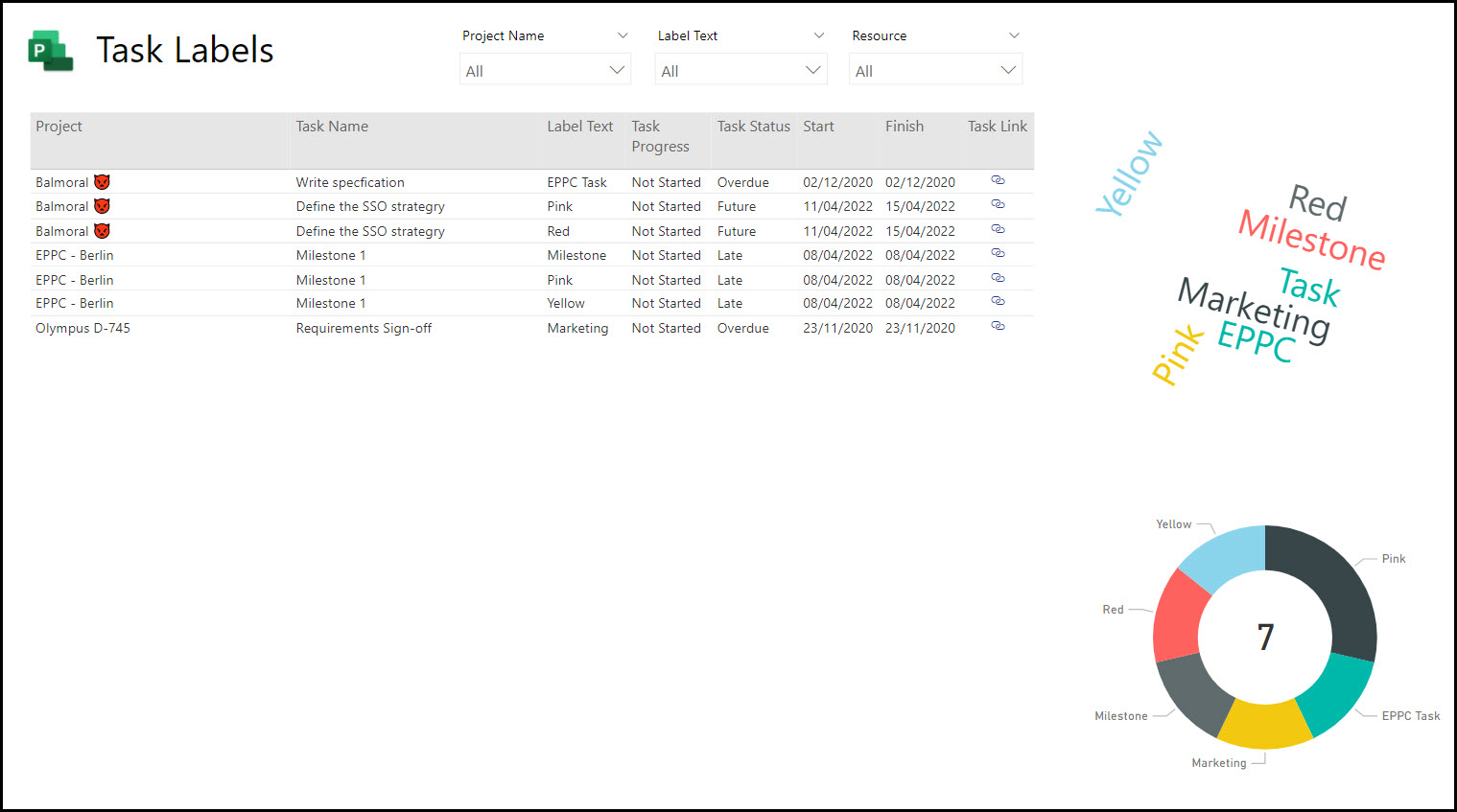
Use this Power BI template to report on Labels from you P4W projects....
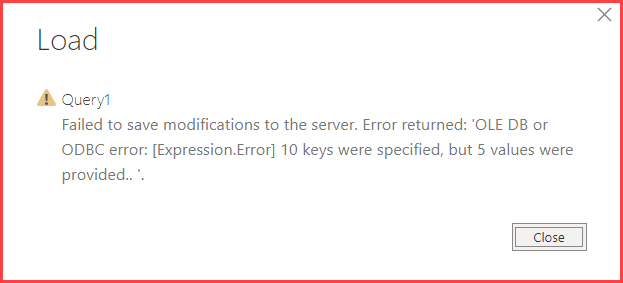
OLE DB or ODBC error: [Expression Error] NN keys were specified, but N values were provided. <English Tea> I recently had an issue in Power BI when trying to add in an additional query. The screenshot of the error message is displayed below. The error isn't hugely helpful,...

Introducing Teams Apps for Project and Microsoft Roadmaps <English Tea> There have recently been a couple of apps introduced into Teams that consolidate the Microsoft Teams experience around collaboration and especially Project Management. These are the Project App and the Roadmap, which when added to the Planner...

Microsoft's Solution Accelerator for Project <Frothy coffee> One of the major announcements at Ignite was a solution Accelerator for the new Project, aka, Project for the Web (P4W). The accelerator is being developed by Microsoft and will include items such as project requests, issues, risks, programmes, and will...
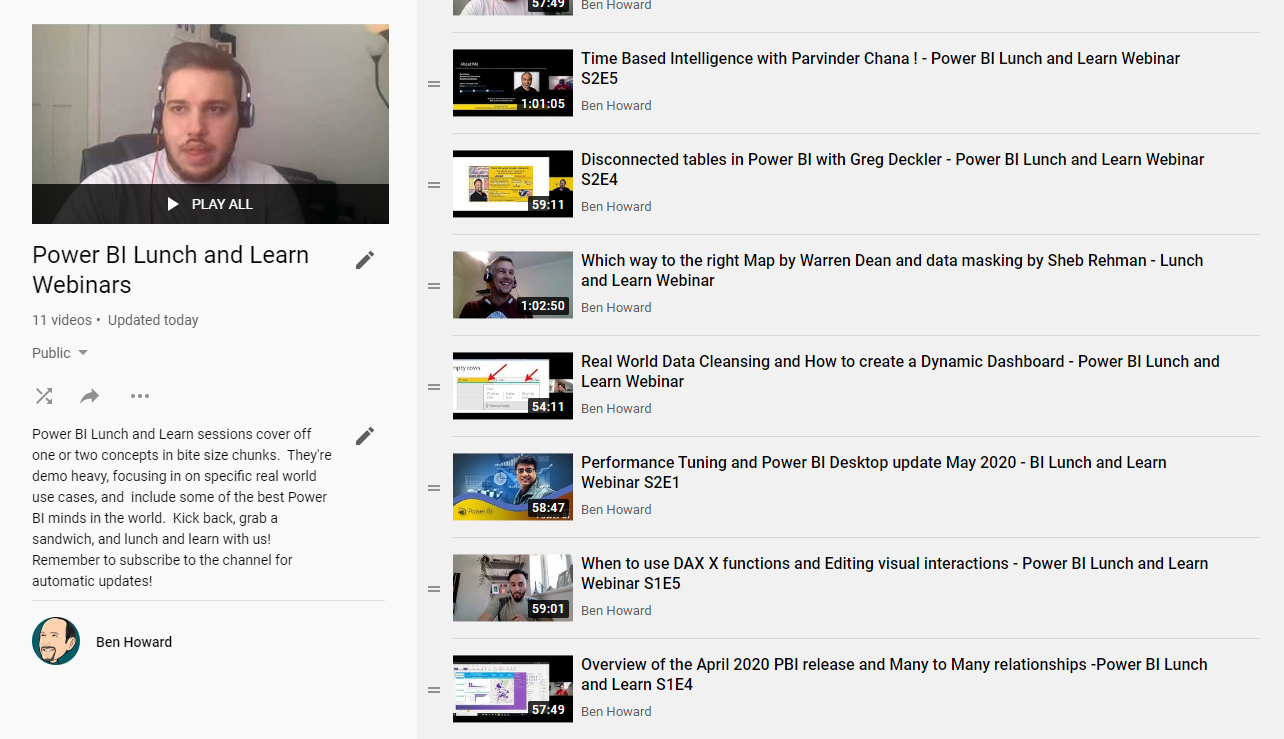
Power BI Lunch and Learn and the Manchester Power BI User Group <Frothy coffee> Over the last four years I've spent a lot of time working in both Power BI and using the similar tools in Excel (for those of you who didn't know Power BI was...
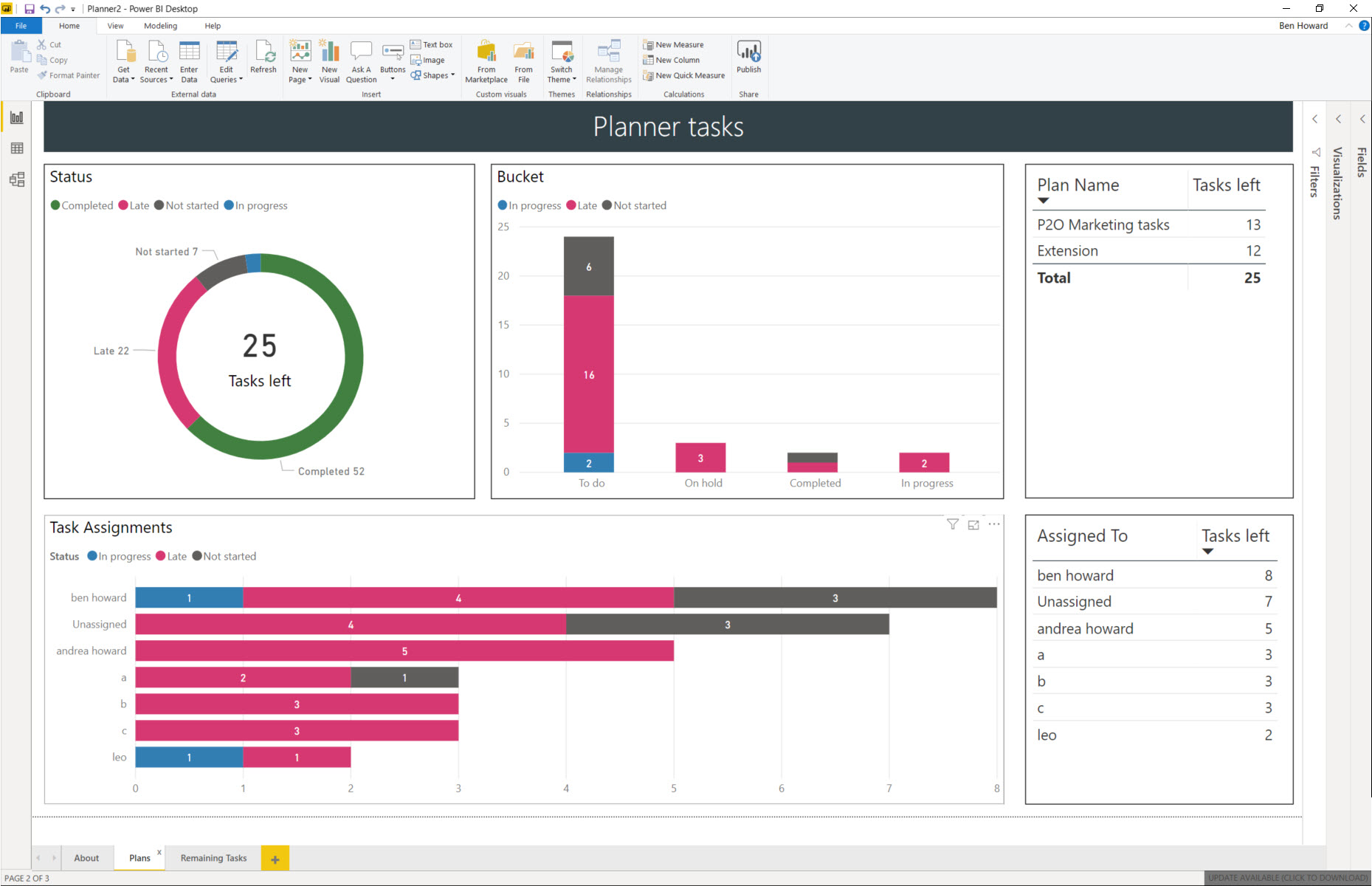
Planner Template on GitHub <Ice Cream> Microsoft are retiring content on TechNet, and so I've taken this opportunity to slightly modify the Planner Power BI template, and move it over to GitHub. At the same time I recorded a video of how to use the template file ...
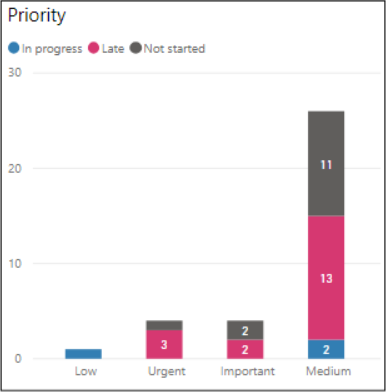
Planner Priority field #2 <Tea> It's great when Microsoft copy one of your ideas :) Back in Sept 2019 I updated my Planner Template to include the Priority field. Microsoft have now included the Priority field in their own charts as blogged here by the product team. ...
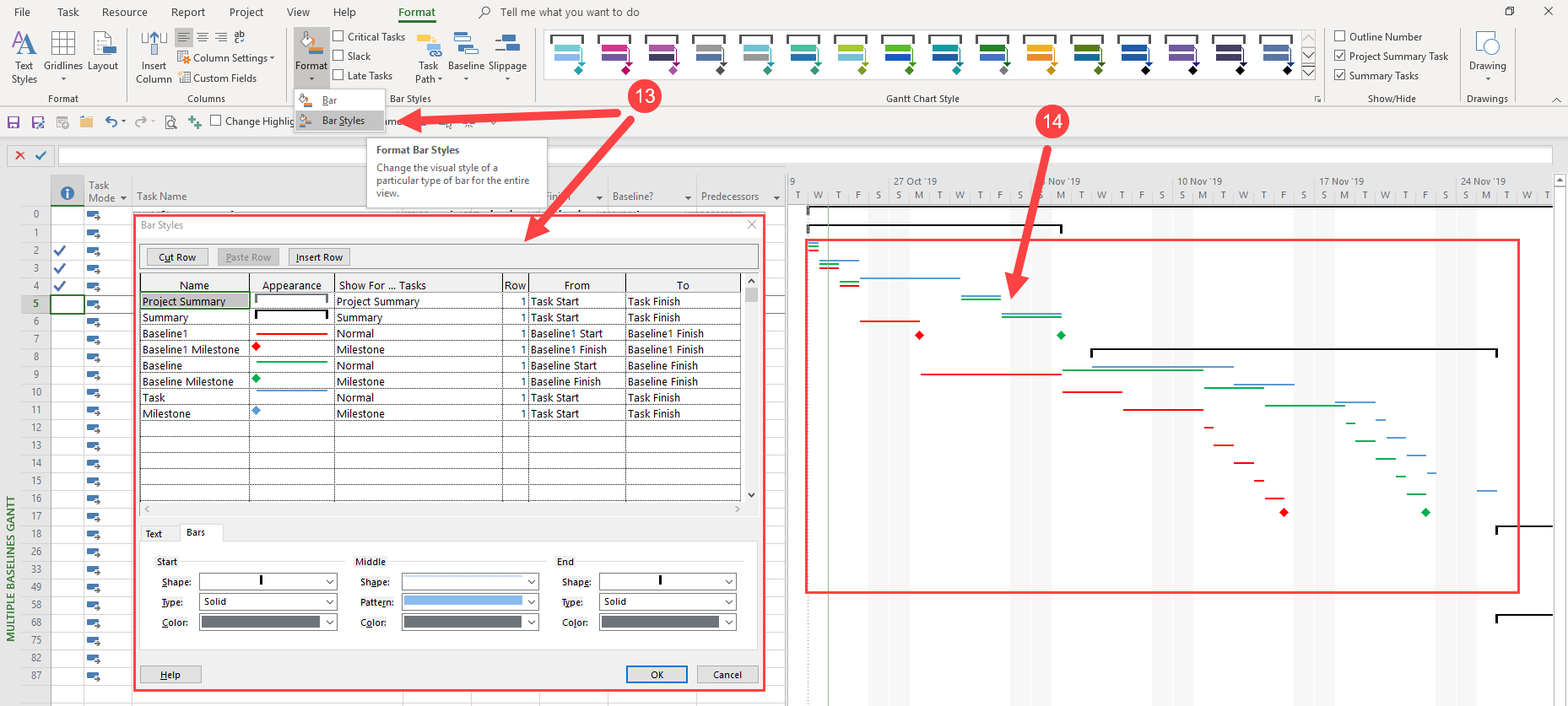
Keeping track of the current plan and a couple of baselines! <Wasser> Project has the ability to hold 11 baselines, and I'm often asked to devise a process whereby my client can track the current plan, the original plan, and any approved changes (design changes and the...
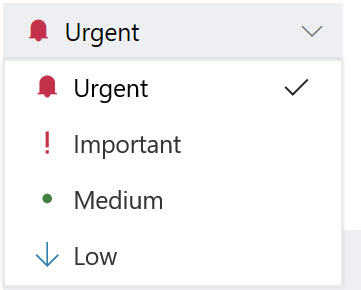
Planner Priority field <Tea> This is just a quick blog post to say that Planner now includes a priority field for each task. The priority can be Urgent, Important, Medium (default) or Low. Setting of the priority is easy, but what's really nice is the ability to filter...
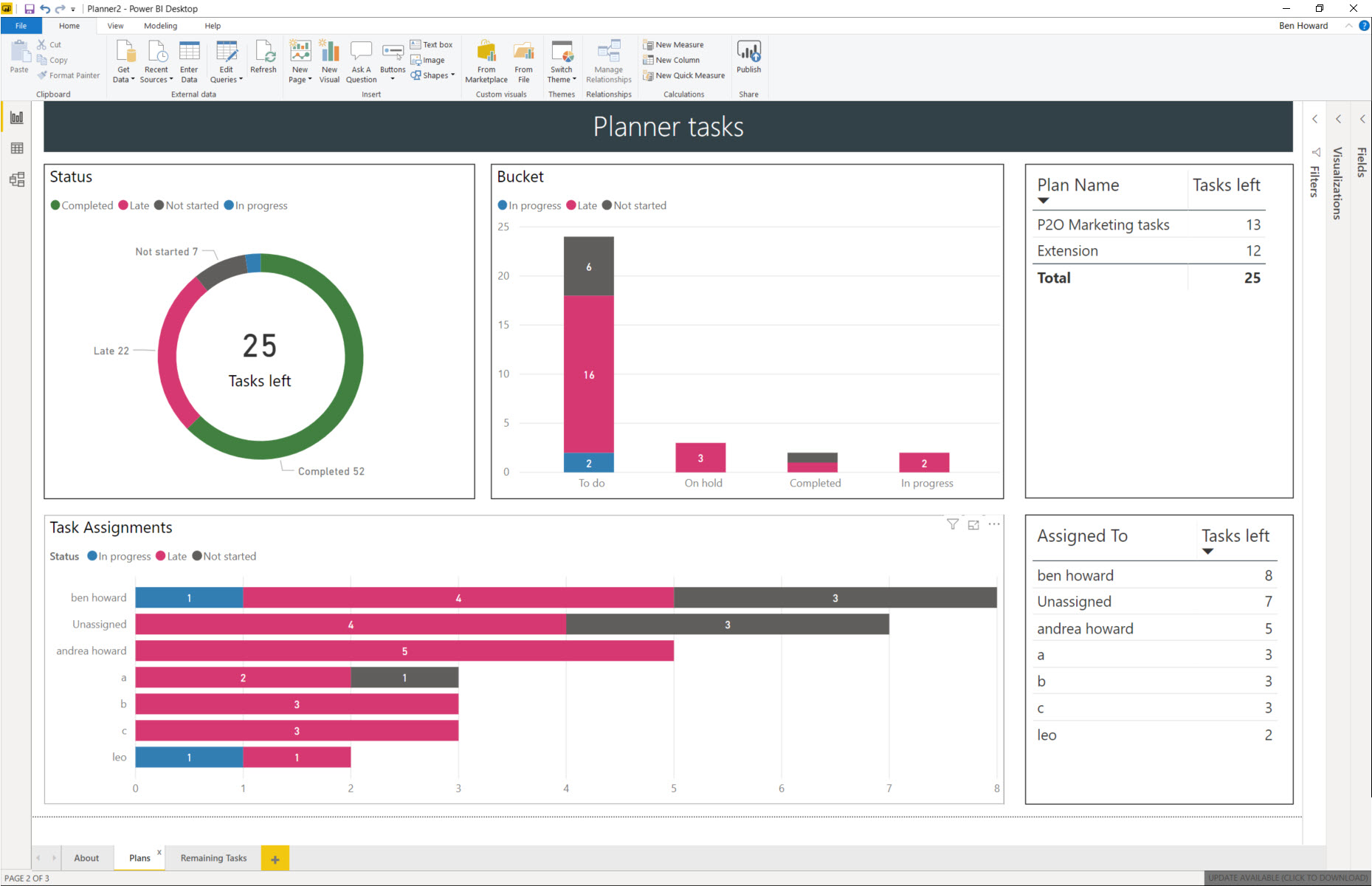
Power BI Template for Planner Plans <Update 10th September 2019> The Power BI template now supports the Priority field, and an additional two tabs have been created, one to display the tasks by priority, and another with a buttons to switch easily between the status or priority...
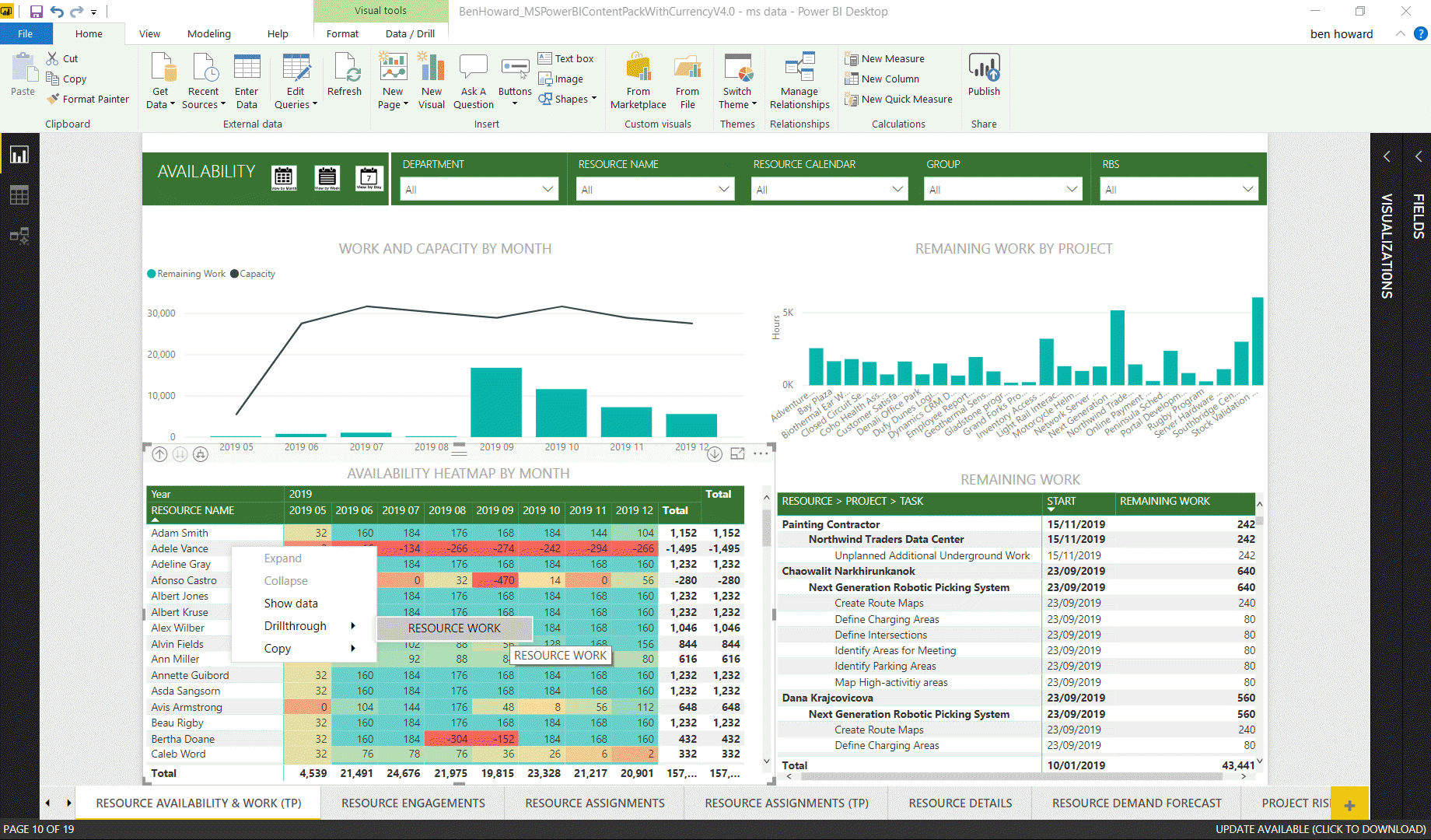
Updated Power BI Content Pack - drill through and buttons! <coffee> Power BI has definitely become my favourite application (after Project of course) in the Microsoft suite simply because of its power and versatility. In the past I've taken Microsoft's standard content pack (available here) and...
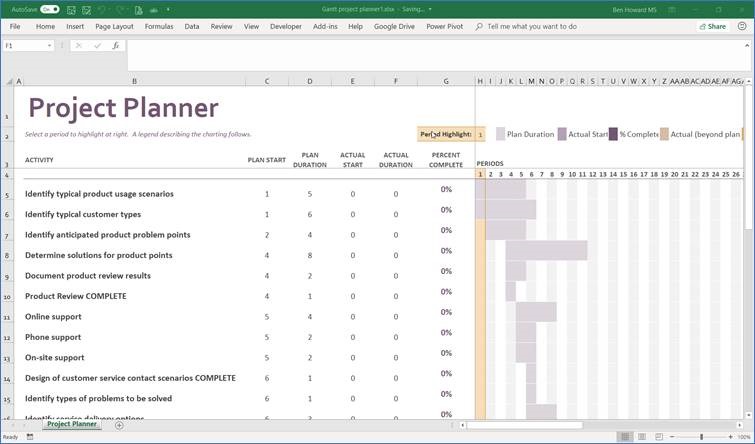
Introduction This article discusses Project and Excel integration points, specifically in the following areas: How to import data from Excel to Project Importing an initial last list How to export data from Project to Excel Exporting a to-do list for resources Exporting time-phased data for reporting Why...