Project Solution Accelerator

One of the major announcements at Ignite was a solution Accelerator for the new Project, aka, Project for the Web (P4W). The accelerator is being developed by Microsoft and will include items such as project requests, issues, risks, programmes, and will create some additional functionality for P4W to bring it more inline with the existing Project […]
A whole host of Power BI content – Power BI Lunch and Learn and the Manchester Power BI user group
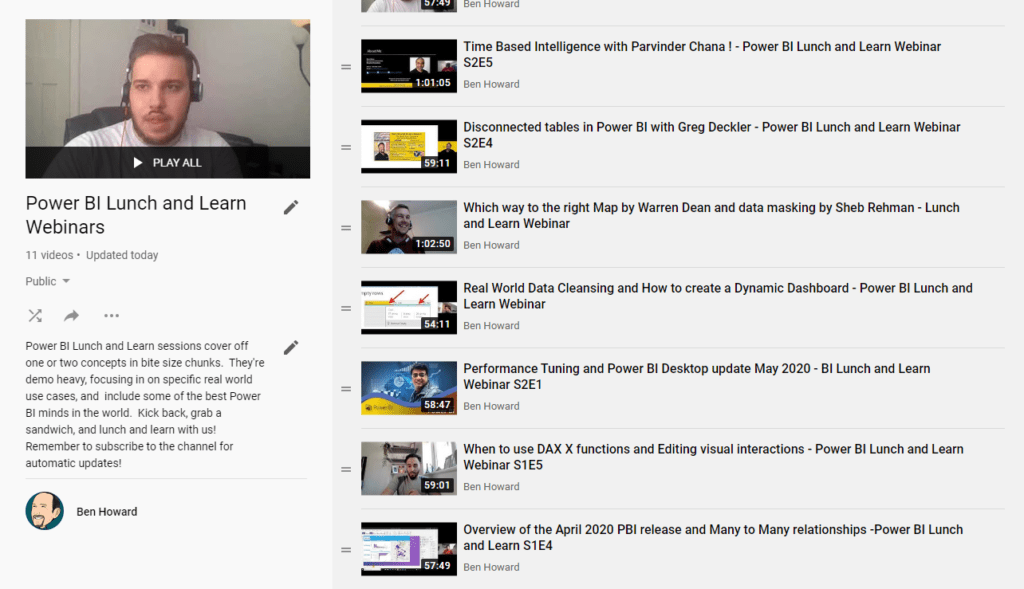
Over the last four years I’ve spent a lot of time working in both Power BI and using the similar tools in Excel (for those of you who didn’t know Power BI was “born” in Excel, or at least as an Excel add-in (PowerPivot)). As part of giving back to the community, I’ve been co-running […]
Planner Tasks Power BI Template on GitHub
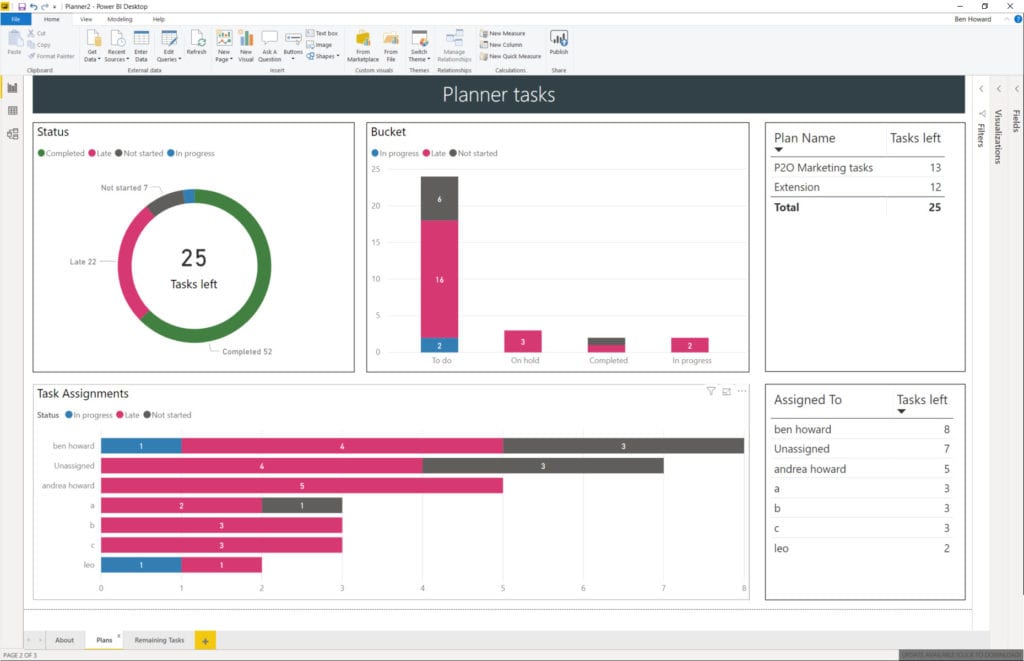
Microsoft are retiring content on TechNet, and so I’ve taken this opportunity to slightly modify the Planner Power BI template, and move it over to GitHub. At the same time I recorded a video of how to use the template file – I didn’t cover the whole of template usage because that’s been done in […]
Updated Planner Tasks Power BI Template
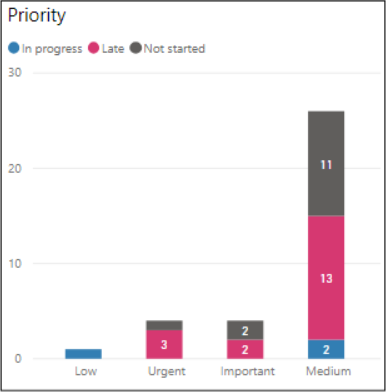
Planner Priority field #2 It’s great when Microsoft copy one of your ideas 🙂 Back in Sept 2019 I updated my Planner Template to include the Priority field. Microsoft have now included the Priority field in their own charts as blogged here by the product team. Here’s the Priority visual spotlighted in my Power BI […]
Planner Tasks now have a Priority field
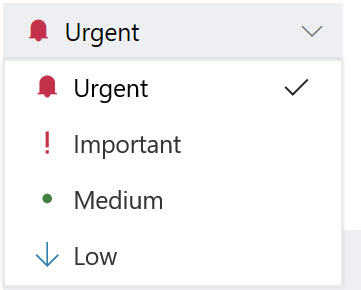
This is just a quick blog post to say that Planner now includes a priority field for each task. The priority can be Urgent, Important, Medium (default) or Low. Setting of the priority is easy, but what’s really nice is the ability to filter and group by priority as displayed in the next two images. […]
PowerBI Template for Exported Planner Plans

<Update 10th September 2019> The Power BI template now supports the Priority field, and an additional two tabs have been created, one to display the tasks by priority, and another with a buttons to switch easily between the status or priority views. As well as links to the template at the end of this post, […]
Updated PowerBI Template for Project Server
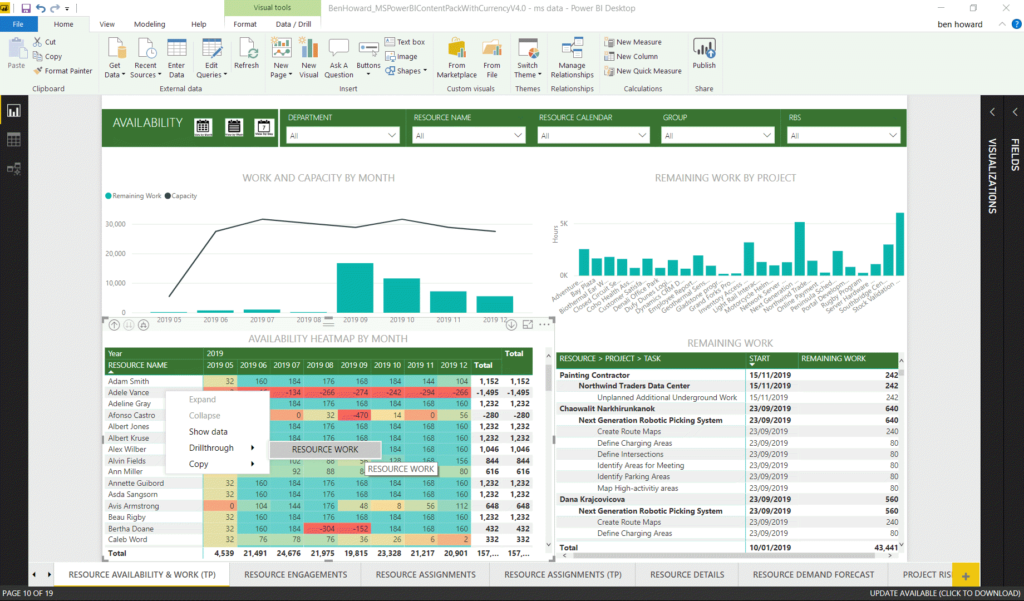
Updated Power BI Content Pack – drill through and buttons! Power BI has definitely become my favourite application (after Project of course) in the Microsoft suite simply because of its power and versatility. In the past I’ve taken Microsoft’s standard content pack (available here) and modified it to expand the number of languages supported […]
Project Server Content Pack Multiple Language Support – now with Polish language
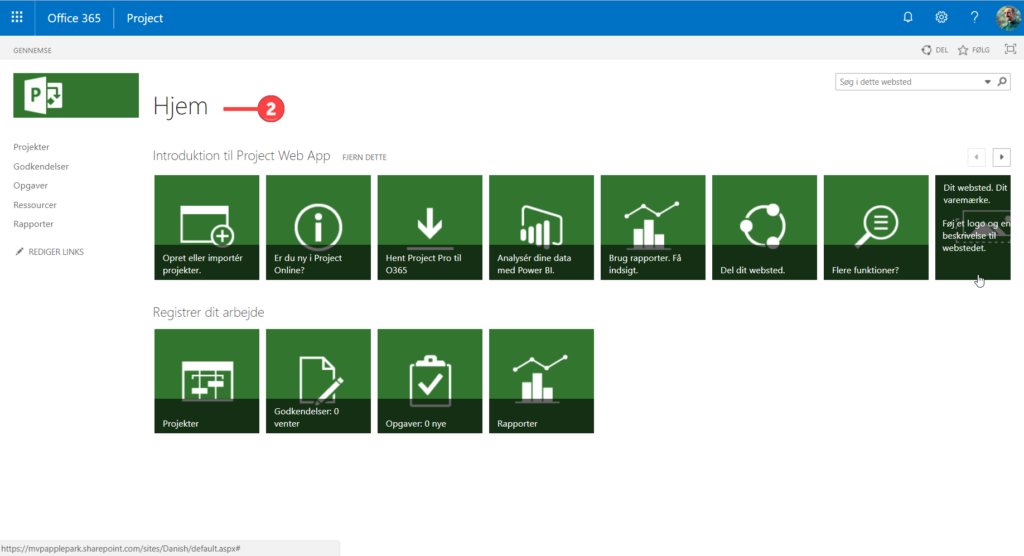
Modifying Microsoft’s #ProjectOnline #PowerBI Content Pack to Support Your Language – Polish, Russian and now Polish. <180822 – Update> A quick note of thanks to Bartek from Poland for his Polish contribution – the download is still available from here. <\180222 – Update> This article shows you how to modify Microsoft’s standard Project Server […]
Project Server Content Pack Multiple Language Support
Modifying Microsoft’s #ProjectOnline #PowerBI Content Pack to Support Your Language This article shows you how to modify Microsoft’s standard Project Server Content Pack to support additional languages. Content Pack Overview If you are using Project Server (PJO) then you are probably using the OData feed for reporting purposes, the two most common options being to […]
Project Server Work and Capacity graphs in Power BI
A lot of my work now revolves around producing Power BI reports using the Project Server oData feed (you can find my reporting pack for Project Server here) , and of course one of the main goals is to produce great looking work and capacity graphs, so let’s have a look at how to do […]
Resource work and capacity graphs in MS Project
A customer posed the challenge earlier this week of producing a work and capacity report using the Reports feature in MS Project. Using the existing Resource Overview Report I was happy with getting the total work per resource from the project, as this is already available as a graph on the Resource Overview report. You […]
#ESC2017 – Take Project Server from 0-60 in 1 Hour
European SharePoint Conference 2017 At the back end of last year I was honoured to be able to speak at the ESC2017, the second time I’ve spoken at the ESC. The title this year was taking Project Server from 0-60 in one hour… so what does that mean. In a nutshell what I was able […]
#Project Server #Power BI Content Pack with Currency parameter
Microsoft have very recently released their latest content pack for Project Server and details can be found on the Project Support Blog and the Tech Community Blog. Whilst the new content pack is a big improvement on the previous one, it still requires some work if you are NOT working in English or US Dollars! […]
#Agile in #MSProject #Scrum #Kanban
Microsoft Project has long been considered as a tool that can only be used with structured , rigid tasks. Typically this type of project is known as a Waterfall project (despite various blogs showing you how you can use Project to manage an “agile plan”, for example the MPUG publish one here). I’m pleased […]
Link to Planner from MS Project #MSProject #ProjectOnline #MSPlanner
There has been some speculation that Microsoft might provide a link between MS Project and Microsoft Planner for quite some time, and now it seems that they’ve done it. From the Task tab, you should be able to see the Link to Planner button (highlighted below). You can only link a single task to a […]
RAG Status and PowerBI Reporting – #PowerBI #ProjectOnline #O365
I’ve been a massive massive fan of PowerBI for some time now, and an even bigger fan of Power Query; so much so that here’s a shameless plug for a Power Query course I wrote year ago here. Moving forward it’s fair to say that every Project Server/Server implementation I now do has some portion […]
Speaking at the European SharePoint Conference 2017 #ESPC17
Take Project Server from 0-60 in 1 Hour I’m delighted to say I’ve been selected to speak once again at the European SharePoint Conference which is being held in Dublin during 14-16th November 2017. The session overview is below Take Project Server from 0-60 in 1 Hour Getting started with Project Server sometimes seems […]
Kyiv Presentations #ProjectOnline #Project
I was lucky enough to be invited back to Kyiv by fellow MVP Oleksiy Prsonitskiy to present at the Ukrainian Project Conference. If you’ve never been to Kyiv, it’s worth the effort with some great sights and great food. https://mvp.microsoft.com/en-us/PublicProfile/4032153?fullName=Oleksiy%20%20Prosnitskiy http://www.project-conference.com.ua/ I presented on two topics, Microsoft Planner and Reporting in Project Server. Microsoft Planner […]
Hiding Unwanted EPTs in #ProjectOnline & #ProjectServer
Some of the clients I work with are really big, and some are really small. The smaller ones tend to want things that are really simple and I wanted a quick way to ensure that they can only select a single EPT in order to create projects (who really uses SharePoint Task List projects anyway?) […]
Gantt Charts in Power BI part II #ProjectOnline #PowerBI #GanttChart
It came to my attention recently that my previous post on Gantt Charts in Power BI needed slight modification in order to display the correct length of the Gantt bar. In the post I used the ProjectDuration to display the duration on the Gantt bar, however this is held in “working hours” and not […]
Editing Enterprise Calendars #ProjectOnline #ProjectClient #MicrosoftProject
Introduction Over the months and years I’ve seen a tonne of issues regarding the ability, or inability to edit Enterprise Calendars. I started a blog about this a while ago https://applepark.co.uk/issues-with-multiple-project-server-accounts/ which provides some troubleshooting issues. This blog is an update to that and I’ll try and keep it updated as I find out new […]
Gantt Charts in Power BI
Over the last year or so Power BI has made a real charge to become THE reporting tool for many applications, including of course Project Server. There are lots of great things about Power BI (and some not so great too!), including the very quick release cycle (dare I use the word agile!). Whereas Excel […]
SPC Adriatics 2016 #ProjectOnline #Workflow
I’m delighted to be have presented at the SPC Adriatics 2016 on a couple of topics regarding Project Server, and decided to record the sessions so I could share them to a wider audience. Alas I only remembered to record part way through the 2nd session, but it’s sufficient. Also, apologies for the quality of […]
Securing Enterprise Custom fields on Project Detail Pages in #ProjectOnline #Project #PPM #PS2013 #Office365
One of the main configuration items with respect to Project Server is the creation of project level Enterprise Custom fields and their layout on separate Project Detail Pages. Assuming that you are not using workflow* then by default anyone with read access to the project can see all of the fields on the PDP, and […]
#PowerBI with #ProjectOnline #Office365 #PPM to view Resource Work by day
Recently I’ve been working with a customer on getting a simple way of displaying resource information. In truth I started with manipulating data in Excel using VBA, but quickly realised that there was a better way to do this using PowerBI. The end result (or rather the 1st iteration) is a report which has the […]
I can’t delete a project – but I’m THE project manager!
It’s a bit of a mundane topic this one, but like all of my topics, it’s soooo real world! I have a customer (okay, so I’ve got lots, not just the one!) and this particular customer is only using Project Server, and not Project Pro for O365/Project 2013 Professional. For those of you familiar with […]
Top 5 Reasons to Deploy Project Server
I was thinking about the top 5 Reasons why my customers, over many years, have deployed Project Server. Just as every organisation needs standardised ways to perform HR, Payroll etc, they all need (but not necessarily desire) a standardised way to manage projects; in truth some desire, but have no propensity to change (but that’s […]
Working with Teams in Project Server 2013
It’s been a while since I last discussed Teams and Team Resources, and having learnt something new recently (kudos goes to Eric Uyttewaal who is always very willing to share his expertise) I thought it was time to re-visit the topic. Introducing Teams The Team feature was introduced way back in Project Server 2007, and […]